A menu thatcomes alive
A guest points a camera at the code and sees dishes in motion, not a list. They ask the chef, order and call a waiter from their phone — you see it all in your panel.
So what have you got?
19:40 · THE QUESTION
A paper menu answers with a hundred and fifty lines. People read three of them and close it.
Dish after dish
19:41 · THE ANSWER
Ours answers differently. Every dish shows itself in full: how it looks, what is in it, how long the wait is.
You can just ask
19:43 · CHOOSING
“Something light.” “Gluten free.” “The fastest.” The chef knows the menu by heart and answers from it, not from imagination.
All of it from one phone
19:45 · AT THE TABLE
A code on the table, a camera — and the menu is open. The order goes straight to your panel; the waiter is there to carry the plate.
CHEF AI
A waiterwho knowsthe menu by heart
Guests write in their own words — “something light”, “my child is allergic to nuts”, “what's cheaper”. The chef answers from your menu and never invents dishes: it searches, it does not make things up.
It does not place the order and promises nothing on the restaurant's behalf. It suggests; the guest taps.
something light
Light — under 400 kcal, nothing heavy.
 Iced matcha on coconut milk₽320
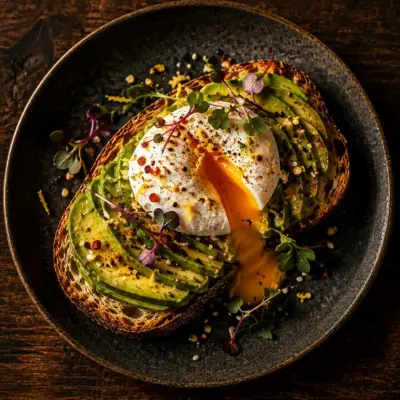 Avocado toast with poached egg₽520
 Chicory pecan raf₽380
 Pumpkin cream soup₽390
What the guest sees
- Scans. A code on the table. No app, no sign-up — just the camera.
- Chooses. Search by name and ingredients, allergen filters, stories and a feed with sound, the chef at hand.
- Orders. The table builds one shared order from several phones. The bill splits on screen and can be paid via the restaurant's SBP link.
- You see it. The order shows up in your panel in a second. With sound, no refresh.
RESTAURANT PANEL
You see the orderbefore the waiter
The order lands in the panel in a second — with sound and no refresh. Tap “In progress” and the guest sees it. Calls, guest ratings and payment notes arrive in the same place.
The panel runs in a browser: a laptop at the till, a tablet on the floor, a phone in the manager's pocket. It also holds the menu and specials, stories, reports with Excel export, an action log and the Assistant's weekly review. Nothing to install.

GETTING STARTED
How it goes
We do the work, not you. From the restaurant we need the menu in any form and one day for the shoot.
A request
You send a request and the menu in any form: Excel, PDF, Word or photos of the pages.
The shoot
We come over and shoot the menu: dish photos and up to thirty videos for the feed.
We enter the menu
We enter all of it: prices, ingredients, nutrition, allergens, options and pairings. You type nothing.
The QR plates
We hand over a print-ready file of QR plates — one per table. The restaurant prints them.
Training and launch
We show the floor staff and the manager how the panel works. After that you just take orders.
What it costs
No cut of your orders and no third-party commission. Tables, guests and orders are unlimited.
₽45,000
one-off, at setup
- Photography of the whole menu
- Up to thirty dish videos to start with
- The full menu entered: prices, ingredients, nutrition, options
- QR plates: a print-ready file
- Training for the floor and the manager
- The first month of service is included
Base
₽15,000
per month
- 30 dish videos in the feed
- Up to 10 videos replaced a month
- Menu edits and new items
- Support and a line to us
- Chef AI: 30 questions per guest
Full
₽25,000
per month
- Up to 100 dish videos in the feed
- Up to 30 videos replaced a month
- New dishes get their video first
- Menu edits and new items
- Chef AI: 60 questions per guest
- Your support requests go first
The first month of service is part of the setup: the plan starts counting from launch day. The thirty videos come with setup and stay with the restaurant on any plan. The plan says something else: how many videos live in the feed and how many we replace each month. Setup is paid once, the plan can be changed from any month. The restaurant prints the QR plates itself: we hand over the file. We process no payments: guests pay the waiter or via your restaurant's SBP link — the money goes straight to you.
Send a requestQuestions
We hold 99.9% availability — no more than forty-three minutes a month. And even in those minutes the floor keeps working: the waiter takes the order as before. Nothing is lost — orders and history stay where they were.
On Selectel servers in Russia — both the data and the backups. Traffic is encrypted, and the panel login is protected against password guessing. We process no payments and store no card data at all: the guest pays the waiter or via the restaurant's SBP link.
No. The phone camera opens the menu in a browser. No install, no sign-up, no phone number.
They stay yours. We take no cut of your orders and process no payments: the guest pays the waiter as usual, or pays themselves via your restaurant's SBP link, straight to you.
The shoot is part of the setup. We photograph the whole menu and make up to thirty videos.
As many as you like. The price does not depend on the number of tables or orders.
The restaurant does, in the panel: texts, prices, ingredients, allergens, options, specials and a scheduled business lunch. Guests see the change right away. A new dish goes live after our review — we shoot its photo and video. We can make edits too: that is part of the monthly fee.
The guest needs internet on their phone — the menu opens over a link. Mobile data is usually enough; guest Wi-Fi makes it steadier.
The panel has a “What Platavi brought” report: revenue from items guests took from suggestions — “Goes well with”, “Forgot a drink?”, dish of the day, the chef, the feed, stories, “one more”, dessert. Next to it: weekly totals, kitchen and floor speed, dishes by revenue and Excel export.
Every Monday the panel gets a review of the past week: numbers, what worked, what to fix and what to try. AI writes it from your report figures; it never sees guest names or their words.
After ordering, the guest rates the visit. A low rating reaches the floor at once — with a sound, while the guest is still at the table. Everyone who rates sees links to your listings on Yandex Maps, 2GIS and Google.
It answers only from your menu and promises nothing on the restaurant's behalf. On allergens it reads what you filled in, draws no conclusions from the description, and offers to call a waiter.
Yes, with a switch in the panel settings. A disabled chef simply is not there for the guest.